Go to Windows platform Display platforms icon
Go to Windows platform Go to Mac platform Go to Android platform
Soundplant icon

Soundplant

59.0.9
Dev Onboard
5 1 reviews
2.9 k downloads
security security

Low latency sound triggering with the computer keyboard & MIDI

Advertisement
Remove ads and more with Turbo
Advertisement
Remove ads and more with Turbo
Uptodown Content Team icon
Reviewed by
Uptodown Content Team
Review written by Uptodown's in-house Editorial Team using the insights provided by Marcel Blum.

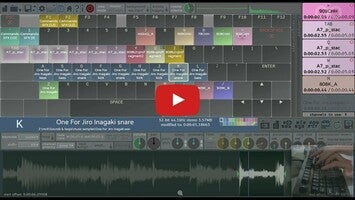
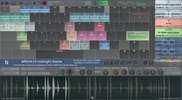
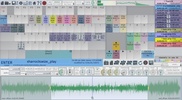
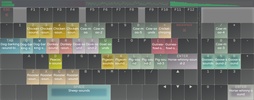
Soundplant is live performance audio software that turns your computer keyboard (yes, your QWERTY keyboard) into a versatile, low latency, multitrack sample trigger and playable musical instrument. It allows the assignment of sound files of any format and length onto keyboard keys (or MIDI), giving you hours of instantly-playing random access audio at your fingertips with no extra hardware needed. Use Soundplant as a performance, presentation, or installation tool, as a drum pad, as an educational aid, to mix tracks in realtime, trigger sound effects or background tracks during a show, sketch sound designs, make beats and loops, and give new life to old sounds - all via an input device you've been practicing on for as long as you've been typing. Because it's a standalone software sampler that uses your own samples to create custom soundboards, Soundplant is an infinitely flexible electronic instrument limited only by the variety of sounds that you feed it. An easy to use interface provides drag & drop configuration of each key, including options which control the way each sound is triggered along with several realtime effects. Playing sounds are displayed with a progress bar and track time, and you can even trigger sounds with Soundplant hidden while using any other program.

Advertisement
Remove ads and more with Turbo

Soundplant is not a synthesizer, plugin, editor, or sequencer, but it is way more than a media player. Soundplant was designed to do one thing and do it well: to trigger sounds with maximum speed, efficiency, and ease of use. Users love its rock-solid stability for live event use, its simple one sound per one key metaphor which eliminates the usage complications of many other software samplers, its versatility for handling sounds of all types from short effects to full length songs to hours-long mixes, and its ultra-optimized use of the computer keyboard with lowest-possible latency requiring no extra hardware.

Information about Soundplant 59.0.9

Basic information

Developer Marcel Blum
License Freemium
Category Media Players
Rating Not specified
Languages English

Security and privacy

Required permissions Not applicable
Advertising Not specified
See security and antivirus report
Why is this app published on Uptodown? (More information)

Download info

Downloads 2,854
Date Jan 8, 2026
File type EXE
Size 200.58 MB
SHA256 50690941f79989436573cd4ce43cefa43b7d2e20038ae45773d68eb142ccd401

Older versions

exe 50.7.5 Apr 27, 2023
exe 50.5.0 Jul 29, 2022
Available for other platforms

Rate this App

Review the app
Soundplant icon

Rating

5.0
5
4
3
2
1
1 reviews

Comments

There are no opinions about Soundplant yet. Be the first! Comment

Advertisement
Remove ads and more with Turbo
iTunes (64-bit) icon
The perfect partner for your new iPod or iPhone
AIMP icon
Excellent choice for audio playback
WinAMP Standard icon
Much more than a music player
QQPlayer icon
Play and capture songs and videos
YouTube Music Desktop App (Unofficial) icon
Play songs from YouTube Music on PC
YMusic icon
Listen to music comfortably on your PC
JetAudio icon
Player and converter, both two together!
Dopamine icon
Listen to music with this minimalist player
Spotify icon
Stream your favorite artists for free
VirtualDJ icon
Create great DJ sets and stream them online
iTunes (64-bit) icon
The perfect partner for your new iPod or iPhone
Serato DJ icon
Professional software for DJs looking for the highest quality
Cubase icon
Create your own music pieces in a comfortable way
Audacity icon
Record and edit all types of audio files
Apple Devices icon
Manage and update your Apple devices
Dolby Access icon
Activate and configure Dolby Atmos on your Windows PC